


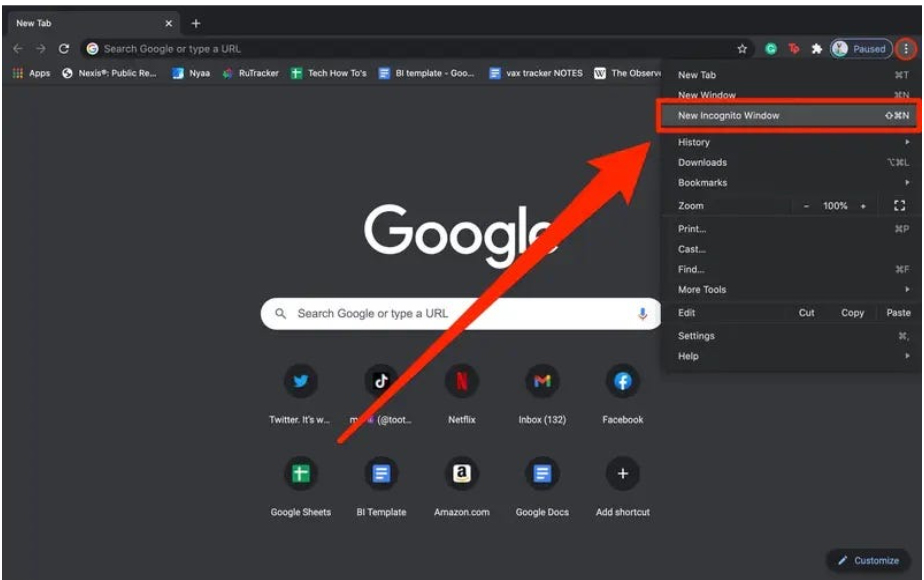
You open your web browser, click on “New Incognito Window,” and breathe a sigh of relief. Your activity is private now, right? You’re invisible!
Not exactly.
The name “Incognito” or “Private Browsing” is one of the most misleading features in modern technology. While it gives you a crucial level of privacy, many people overestimate what it actually hides.
Let’s clear up the myth. Here is what private browsing really does—and what it absolutely doesn’t hide.
What Incognito Mode ACTUALLY Does (and Why It’s Useful)
When you open a private browsing window, your browser performs a few important clean-up tasks:
- It Deletes Your History: When you close the Incognito window, your browser history for that session is completely wiped from that specific device. It won’t show up in your history list later.
- It Ignores Cookies and Site Data: Any cookies (those tiny tracking files websites use to remember you) created during the session are deleted when you close the window. This is great for comparison shopping or logging into a second account without affecting your main session.
- It Deletes Form Data: Anything you type into forms (like search terms or sign-up information) during the session is not saved by your browser.
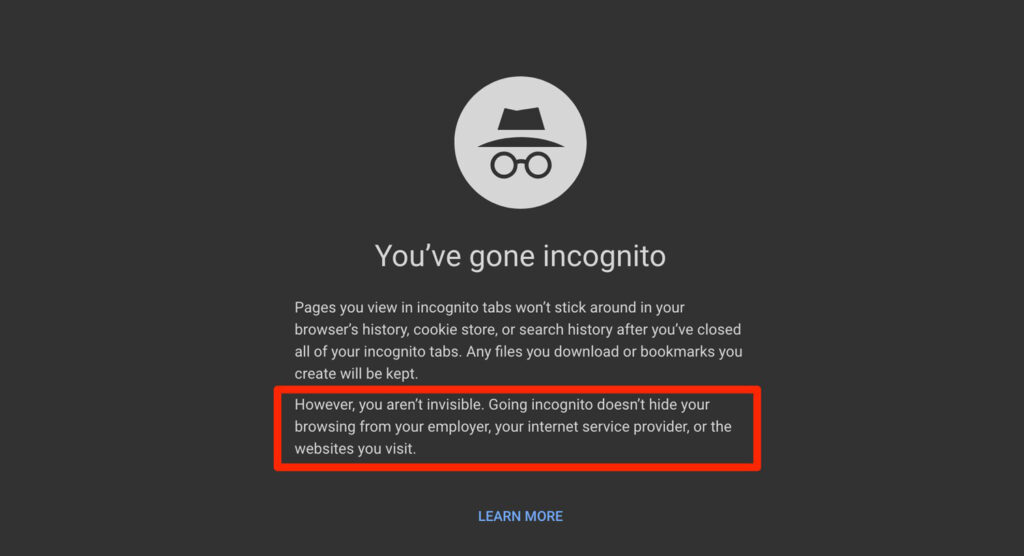
In short: Incognito mode makes you invisible only to the next person who uses that same device.
The BIG LIMITATION: What Incognito Mode DOES NOT Hide
This is where the myth ends. Private browsing does not make you anonymous on the internet. Your activity can still be tracked by several entities:
1. Your Internet Service Provider (ISP)
Your ISP (the company you pay for Wi-Fi/data, like Comcast or Verizon) can always see your activity. Every website you visit, every IP address you connect to—they can see it. Incognito mode is a setting in your web browser, and it has no control over the data traveling between your computer and your ISP.
2. Public Network
If you are browsing on a computer provided by school or other institutions or free wifi’s, or while connected to their network, they can likely monitor everything you do. Network monitoring tools operate before your traffic even gets to your browser’s Incognito setting.
3. The Websites You Visit
Websites can still see your connection details, including your IP address (which shows your general geographic location). If you log into any account—like a bank, email, or social media—that website will absolutely know who you are and log your activity just like a normal session.
4. Malicious Software
If your device has spyware, viruses, or keyloggers installed, Incognito mode will do nothing to stop them from recording your activity.
The Takeaway
Incognito Mode is a tool for convenience and local privacy, not true anonymity.
If you are trying to hide a birthday gift from your spouse or browse without saving temporary files, it works perfectly.
If you need to hide your activity from your ISP or the websites you visit, you need stronger tools-like a Virtual Private Network (VPN)-which actually masks your IP address and encrypts your data.
Don’t let the name fool you. Use Incognito responsibly, but know its limits!